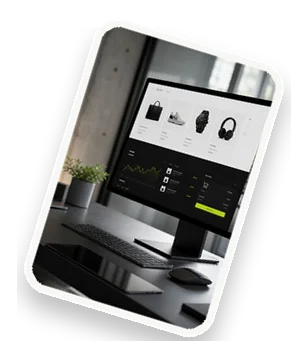
Customer portals are secure, web-based platforms that provide customers with 24/7 access to account information, support resources, and self-service tools. They reduce support tickets, improve satisfaction, and streamline operations. If you want to deliver a seamless experience, a well-designed portal is essential.
What Are Customer Portals and Why Do You Need One?
A customer portal is a dedicated online space where users can log in to view orders, update profiles, submit tickets, or access knowledge bases. It empowers customers to find answers without contacting support, drastically cutting response times and operational costs. Industries like e-commerce, telecom, finance, and healthcare rely on portals for account management, billing, and service requests. For example, a telecom company might use a portal for plan changes and troubleshooting. The result? Higher customer retention and lower churn. Key benefits include:
- Self-service: Customers resolve issues independently.
- 24/7 availability: No waiting for business hours.
- Reduced support tickets: Up to 30% fewer inquiries.
- Personalized experience: Tailored content and offers.
Without a portal, you risk overwhelming your support team and frustrating customers. A modern portal is not a luxury—it's a competitive necessity.
Key Features of a High-Performing Customer Portal
To deliver a fast, clear, and manageable experience, your portal must include essential features. User-friendly interface ensures customers can navigate effortlessly. Secure login with two-factor authentication protects sensitive data. Integration with your CRM and support tools (like Salesforce or Zendesk) syncs data in real time. Personalization options, such as saved preferences and targeted content, boost engagement. Mobile responsiveness is non-negotiable—over 60% of users access portals via smartphones. Other must-haves:
- Search functionality: Robust search with filters.
- Knowledge base: Articles, FAQs, and videos.
- Ticket tracking: Real-time status updates.
- Multi-language support: Reach global audiences.
Each feature contributes to a frictionless journey. For instance, a bank’s portal might offer transaction history, card management, and live chat—all in one place. Prioritize features that directly address customer pain points.
How to Build a Fast and Responsive Customer Portal
Speed matters. A one-second delay can reduce customer satisfaction by 16%. Start by selecting a lightweight technology stack: use frameworks like React or Vue.js for the frontend, and Node.js or Python for the backend. Optimize images and scripts, and leverage CDN (Content Delivery Network) to serve static assets from servers closest to the user. Implement caching strategies (browser caching, server-side caching) to reduce load times. For mobile, adopt a mobile-first design and test on real devices. Responsive design ensures the portal adapts to any screen size. Use progressive web app (PWA) techniques for offline capabilities. Example: A logistics portal might load tracking data in under 2 seconds by caching routes and using lazy loading. Regular performance audits with tools like Lighthouse help maintain speed. Remember, a fast portal keeps users engaged and reduces bounce rates.
Ensuring Clarity: Best Practices for Portal Design
Clarity is king. A confusing interface drives users away. Start with a simple layout: place navigation menus prominently, use consistent icons, and avoid clutter. Clear calls-to-action (CTAs) like "Submit Ticket" or "View Order" should stand out with contrasting colors. Follow accessibility standards (WCAG 2.1) to support all users, including those with disabilities—use alt text, proper heading hierarchy, and keyboard navigation. Provide intuitive search with autocomplete and typo tolerance. Use plain language for instructions and error messages. For example, instead of "An error occurred," say "We couldn't save your changes. Please try again." Include a feedback mechanism so users can report confusion. Test designs with real users to identify friction points. A clear portal reduces support calls and builds trust.
Managing Your Customer Portal Effectively
Ongoing management ensures your portal remains fast, clear, and useful. Content management involves regularly updating knowledge base articles, FAQs, and announcements. Use a CMS to schedule updates and version control. Analytics track user behavior—popular pages, search queries, and drop-off points. Tools like Google Analytics or Hotjar reveal where users struggle. User feedback surveys and ratings help prioritize improvements. Security and compliance require regular patching, SSL certificates, and adherence to GDPR or HIPAA. Automate backups and monitor for vulnerabilities. A dedicated portal manager should oversee these tasks. For instance, a SaaS company might review analytics weekly to update content and fix broken links. Effective management keeps the portal aligned with customer needs and business goals.
Common Challenges and How to Overcome Them
Even the best portals face hurdles. User adoption is a top challenge—customers may prefer old channels. Overcome this by promoting the portal via email, in-app messages, and incentives like faster support. Integration complexity arises when connecting legacy systems. Use APIs and middleware to bridge gaps, and phase integrations gradually. Performance issues occur under high traffic. Scale with cloud services (AWS, Azure) and load balancing. Content maintenance can overwhelm teams. Assign owners and use content calendars. Security concerns require regular audits and employee training. Example: A retail portal saw low adoption until they added a loyalty points dashboard—engagement jumped 40%. Address challenges proactively with a clear roadmap and stakeholder buy-in.
Measuring Success: KPIs for Customer Portals
Track the right metrics to prove ROI. User engagement metrics include active users, session duration, and pages per visit. Support ticket reduction shows self-service effectiveness—aim for a 20-30% drop. Customer satisfaction (CSAT) scores from post-interaction surveys gauge happiness. First contact resolution (FCR) rate indicates how often customers find answers independently. Other KPIs:
- Net Promoter Score (NPS): loyalty and advocacy.
- Portal uptime: target 99.9% availability.
- Task completion rate: % of users who finish a key task (e.g., password reset).
Benchmark against industry standards and set quarterly goals. For example, a portal that reduces tickets by 25% and increases CSAT to 4.5/5 is a success. Use dashboards to visualize data and report to stakeholders.
Ready to Transform Your Customer Experience?
A fast, clear, and manageable customer portal can revolutionize how you serve customers. You'll reduce costs, boost satisfaction, and gain a competitive edge. Don't let complexity hold you back—our team at Devantum specializes in building custom portals tailored to your needs. Contact us today for a free consultation or demo. Let's create a portal your customers will love.