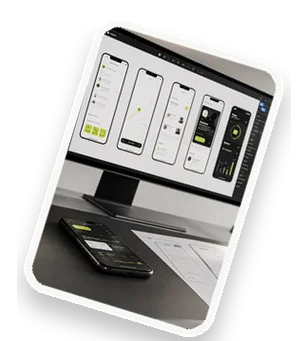
Mobile UI design is the process of creating visually appealing and highly functional interfaces for mobile applications. A clear, fast, and manageable mobile UI is essential for user retention and business success. This article explores the core principles, best practices, and tools to achieve an outstanding mobile user interface.
What Is Mobile UI Design?
Mobile UI design focuses on the visual elements and interactive components of a mobile app. It differs from UX design, which encompasses the overall user experience. Key principles include clarity (easy-to-understand layouts), speed (fast loading and responsiveness), and manageability (consistent components that are easy to update). For example, a banking app must display account balances clearly, load transactions quickly, and maintain a uniform design across screens. Effective mobile UI design reduces user errors and increases satisfaction.
Core Principles for Clear Mobile Interfaces
Clarity starts with visual hierarchy: use size, color, and spacing to guide users. Typography should be legible on small screens, with a limited font family. Consistent color schemes and icons help users recognize actions instantly. Minimalist design reduces cognitive load by removing unnecessary elements. For instance, a weather app should show temperature and conditions prominently, while hiding less critical details behind expandable sections. Always test your designs with real users to ensure clarity.
Achieving Fast Performance in Mobile UI
Performance is critical. Optimize images and assets by compressing them and using lazy loading for off-screen content. Implement efficient navigation patterns like bottom tabs and gestures (swipe, pinch) to reduce app startup time. Use native components when possible, and minimize network requests. For example, an e-commerce app can preload product thumbnails and cache user preferences. Fast UI leads to higher engagement and lower bounce rates.
Manageable Design Systems for Mobile
A design system ensures consistency and scalability. Create a component library with reusable buttons, cards, and input fields. Document styles and usage guidelines in a style guide. Use version control (e.g., Git) for design files and collaborate with tools like Figma or Zeplin. Manageable systems allow teams to update UI elements across the app without redesigning everything. For example, changing the primary color in a design token updates all buttons automatically.
Responsive Layouts Across Devices
Mobile devices vary in screen size and orientation. Use adaptive or responsive design approaches. Grid systems with flexible units (e.g., percentages, rem) ensure elements resize properly. Test on multiple devices and orientations. For instance, a news app should display articles in a single column on phones and two columns on tablets. Prioritize content for smaller screens and avoid horizontal scrolling.
User-Centered Navigation and Interaction
Design for thumbs: place important actions within easy reach. Use intuitive gestures (tap, swipe, long press) and provide visual feedback (animations, haptics). Ensure accessibility by supporting screen readers, high contrast, and scalable text. For example, a social media app should have a bottom navigation bar with large touch targets (minimum 48x48 dp). Test with users to refine interactions.
Testing and Iterating Your Mobile UI
Usability testing reveals pain points. Methods include moderated sessions, remote testing, and A/B testing for UI elements like button colors or layouts. Use analytics to track user behavior and iterate based on data. For example, if users struggle to find the search function, consider moving it to a more prominent position. Continuous improvement ensures your UI remains effective.
Tools and Technologies for Mobile UI Design
Popular design tools include Figma, Sketch, and Adobe XD. For prototyping and handoff, use tools like InVision or Zeplin. Cross-platform frameworks like Flutter and React Native allow you to build UI for both iOS and Android from a single codebase. Choose tools that integrate with your development workflow and support collaboration.
Get Started with Your Mobile UI Project Today
Ready to create a clear, fast, and manageable mobile UI? Contact us for a free consultation. Our expert team offers customizable design solutions tailored to your app. With a proven track record, we help you deliver an exceptional user experience. Reach out today to start your project.